Instagram’s Friends Map: A Privacy Nightmare in the Making?
Instagram, the social media giant owned by Meta, has long been a hub for sharing life’s moments—from vacation photos to daily routines. But with its latest feature, Friends Map, the platform is venturing into uncharted—and potentially dangerous—territory. Designed to let users share their real-time location with close friends, this feature raises serious privacy concerns. Is it a convenient way to stay connected, or a stalker’s dream tool?
In this deep dive, we’ll explore the risks, real-world implications, and steps you can take to protect yourself. Whether you’re a casual user or a privacy-conscious individual, this guide will help you navigate Instagram’s latest feature safely.
What Is Instagram’s Friends Map?
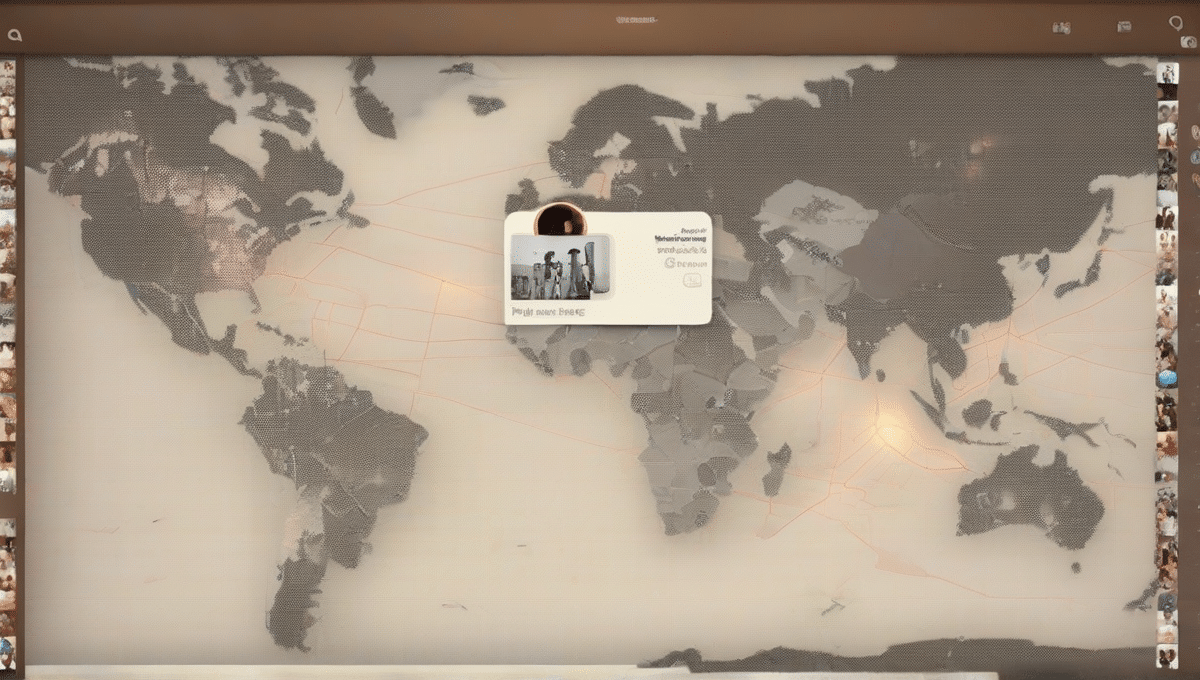
Instagram’s Friends Map is a location-sharing feature that allows users to see their friends’ real-time whereabouts on an interactive map. Similar to Snapchat’s Snap Map or Apple’s Find My Friends, it’s marketed as a way to meet up with friends, track loved ones, or simply stay connected. But how does it work, and why is it controversial?
How the Feature Works
- Opt-in Sharing: Users must manually enable location sharing and select which friends can see their location.
- Real-Time Updates: Once enabled, friends can see your precise location (or a general area if you’ve set it to “approximate”).
- Persistent Tracking: Unlike disappearing stories, Friends Map continuously updates unless manually turned off.
Why Instagram Introduced It
- Competition with Snapchat: Instagram has been borrowing features from Snapchat for years, and Friends Map is no exception.
- Enhanced Engagement: Real-time location sharing keeps users active on the platform, increasing ad revenue.
- Social Convenience: For close-knit groups, it can simplify meetups and check-ins.
Early User Reactions
- Enthusiastic Adoption: Some users love the convenience, especially for travel groups or families.
- Privacy Concerns: Others worry about stalking, data misuse, and unintended exposure.
- Confusion Over Settings: Many users don’t realize how much control they have (or don’t have) over their location data.
The Privacy Risks of Friends Map
While Friends Map may seem harmless, it introduces several privacy risks that could have serious consequences. From stalking to data exploitation, here’s what you need to know.
Stalking and Harassment
- Real-Time Tracking: If an abuser or stalker gains access to your account (or a friend’s account), they can monitor your movements 24/7.
- Historical Data: Even if you turn off location sharing, past data may still be accessible to determined individuals.
- Example: In 2022, a woman in the UK was stalked using Snapchat’s Snap Map, leading to a restraining order. Instagram’s version could enable similar abuse.
Data Exploitation by Meta
- Location-Based Ads: Meta has a history of using location data for targeted advertising (e.g., showing ads for nearby stores).
- Third-Party Sharing: While Meta claims it doesn’t sell data, past breaches (like the Cambridge Analytica scandal) prove that user data isn’t always secure.
- Government Requests: Authorities can subpoena location data, potentially using it against users in legal cases.
Unintended Consequences
- Accidental Oversharing: Users might forget they’re sharing their location, leading to unintended exposure (e.g., revealing a home address).
- Friend Betrayal: A “trusted” friend could screenshot or misuse your location data.
- Public Wi-Fi Risks: If you’re on an unsecured network, hackers could intercept location data.
Real-World Scenarios: When Friends Map Goes Wrong
To understand the real dangers, let’s look at hypothetical (but plausible) scenarios where Friends Map could lead to harm.
Scenario 1: The Stalker’s Playground
- The Situation: A user enables Friends Map for a small group of friends, including an ex-partner with a history of harassment.
- The Risk: The ex-partner uses the feature to track their movements, showing up uninvited or monitoring their routine.
- The Outcome: The victim feels unsafe and must take legal action, but the damage is already done.
Scenario 2: The Burglary Opportunity
- The Situation: A user posts a story from a vacation, forgetting they’ve enabled Friends Map for a casual acquaintance.
- The Risk: The acquaintance sees they’re away from home and shares the info with a criminal network.
- The Outcome: The user returns to a burglarized home, with police tracing the leak back to Instagram.
Scenario 3: The Workplace Nightmare
- The Situation: An employee calls in sick but forgets to turn off Friends Map. Their boss sees they’re at a concert.
- The Risk: The boss confronts them, leading to disciplinary action or job loss.
- The Outcome: The employee’s reputation is damaged, and they realize too late that location sharing isn’t worth the risk.
How to Protect Yourself from Friends Map Risks
If you’ve decided to use Friends Map (or already have), here’s how to minimize risks and take control of your privacy.
Step 1: Audit Your Location Settings
- Turn Off Automatic Sharing: Go to Settings > Privacy > Location > Friends Map and disable it by default.
- Use “Approximate Location”: If you must share, select “Approximate” instead of “Precise” to avoid revealing exact addresses.
- Review Active Sessions: Check Settings > Security > Login Activity to ensure no unauthorized devices are tracking you.
Step 2: Curate Your Friends List
- Remove Suspicious Accounts: Regularly review your followers and remove anyone you don’t fully trust.
- Create a Close Friends List: Only share your location with a small, vetted group (e.g., family or best friends).
- Avoid Sharing with New Acquaintances: Never enable Friends Map for someone you’ve just met online.
Step 3: Use Alternative Safety Measures
- Enable Two-Factor Authentication (2FA): Protect your account from hacking by requiring a code for logins.
- Set Up Login Alerts: Get notified if someone logs into your account from a new device.
- Use a VPN: Mask your IP address to prevent location tracking even if Friends Map is off.
The Future of Location Sharing: Is There a Safer Way?
Instagram’s Friends Map isn’t the first (or last) location-sharing feature, but it highlights a growing tension between convenience and privacy. What does the future hold, and are there better alternatives?
The Rise of Privacy-Focused Apps
- Signal & Telegram: These encrypted messaging apps offer temporary location sharing without persistent tracking.
- Apple’s Find My: While still trackable, it’s more secure than Instagram and allows for temporary sharing.
- Life360 (With Caution): A family-tracking app with strong privacy controls, but still requires trust.
Legal and Regulatory Responses
- GDPR & CCPA: European and California laws give users more control over location data, but enforcement is inconsistent.
- Future Legislation: Expect more laws targeting social media location tracking, especially for minors.
- Meta’s Accountability: Will Instagram face backlash? Past scandals suggest users may push back—but will it be enough?
The User’s Responsibility
- Think Before You Share: Ask yourself, “Would I be comfortable if this data was public?”
- Educate Friends & Family: Many users don’t understand the risks—share this guide to help them stay safe.
- Demand Better Privacy Controls: Push Meta to improve Friends Map with features like temporary sharing and stricter friend vetting.
Final Thoughts: Is Friends Map Worth the Risk?
Instagram’s Friends Map is a double-edged sword—convenient for some, dangerous for others. While it can enhance social connections, the privacy risks are too significant to ignore. By taking proactive steps (like auditing settings, curating your friends list, and using alternatives), you can mitigate some of the dangers. But ultimately, the safest approach may be to avoid it altogether.
As social media continues to blur the lines between connection and surveillance, users must stay vigilant. Your location data is valuable—don’t give it away without a fight.